
My 1‑year with Simtheory AI

I have been using Simtheory for almost one year now. I wanted one place for everything: writing, research, code help, media creation, and real actions with tools. No API setup, no jumping between apps. Here is my honest experience.
What Simtheory is
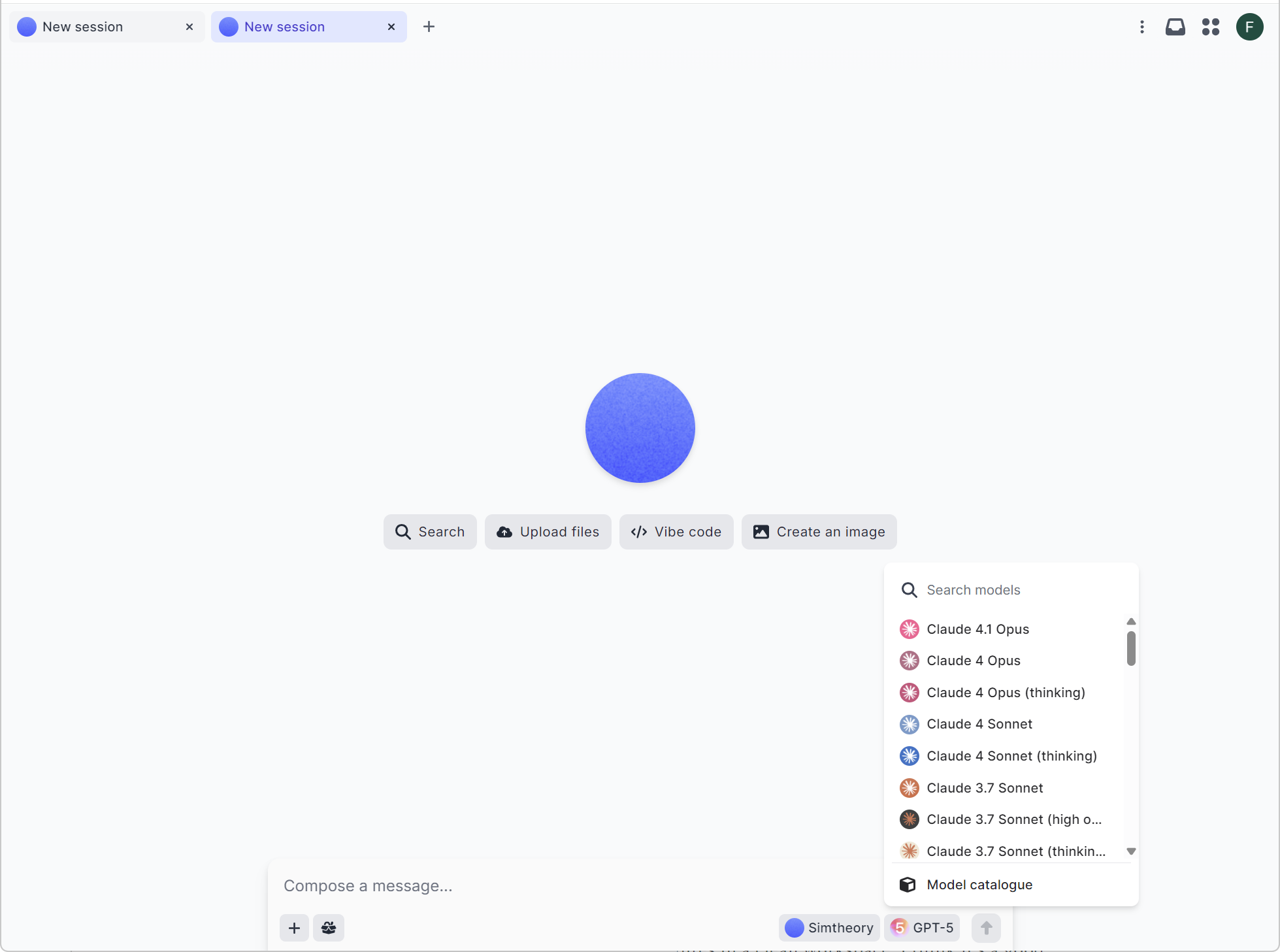
An AI workspace with many frontier models in one place. You can switch models inside the same chat.
One input line. I type there and trigger anything: research, image/video creation, file analysis, and tools.
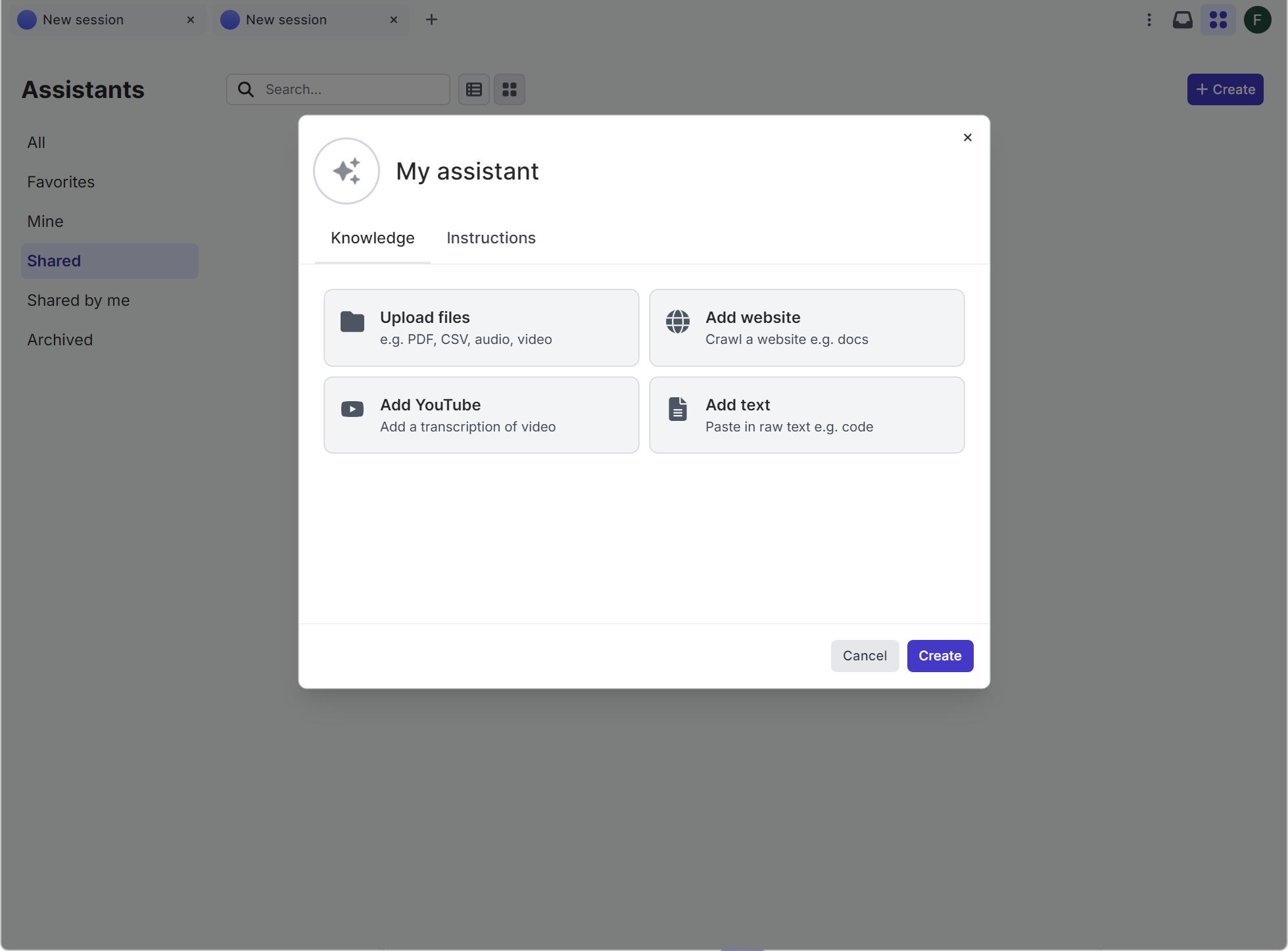
Build your assistants (like GPTs) with instructions and memory.
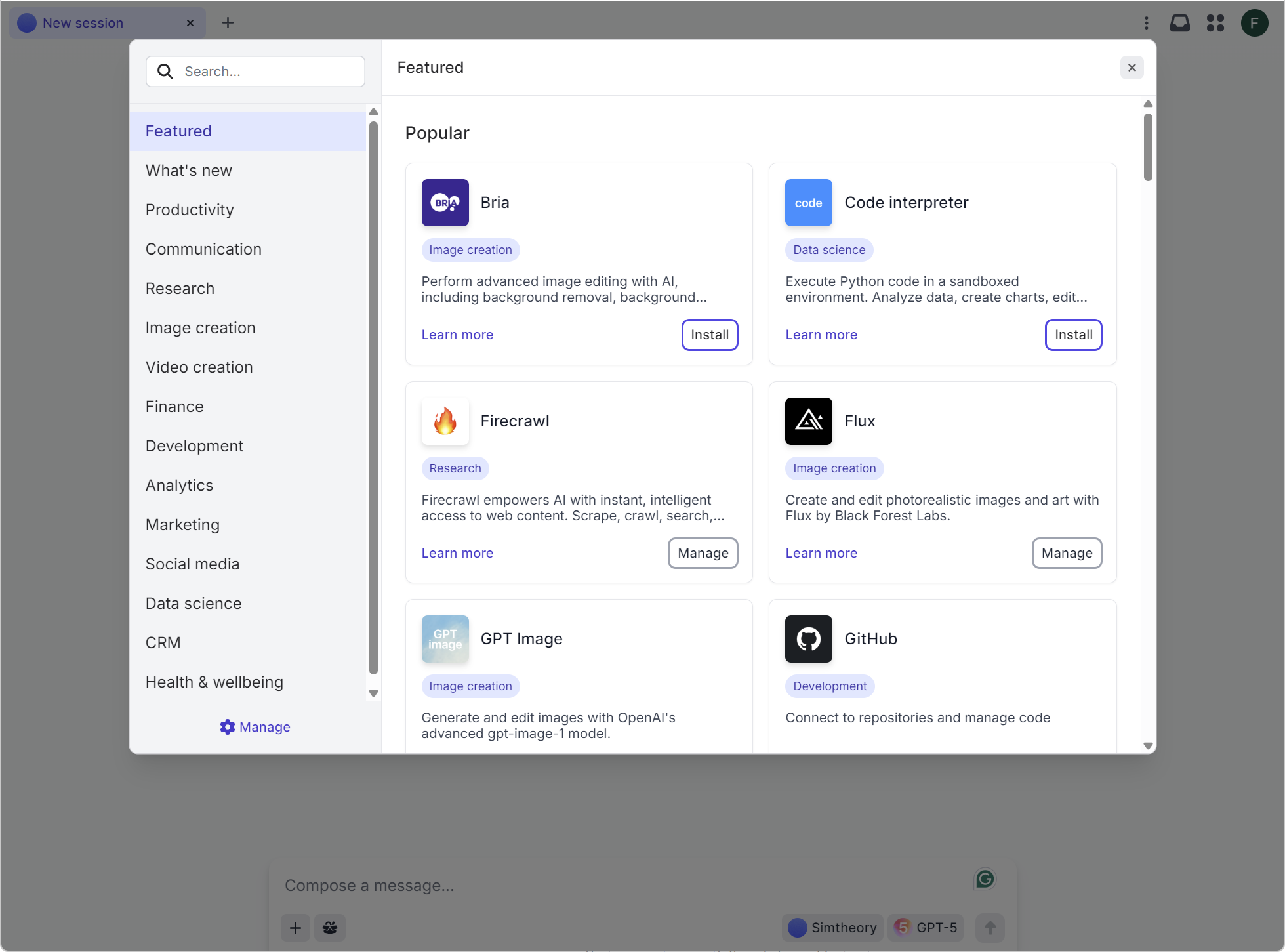
Hosted MCPs (Model Context Protocol apps). You click and use. No servers, no tokens to wire.
How I work day to day
One-box workflow: I write a prompt, choose a model, and go. If the result is imperfect, I switch models in the same session.
Not only text: I create images (and other media via integrated tools) right inside Simtheory—no API keys.
Easy tools: Web search, web crawl, YouTube summary, documents analysis, data viz, code interpreter, and more.
My assistants: I made a few role-based assistants. They remember context. Feels personal and fast.
Parallel tasks: I start a long task and work on something else. It pings me when done.
History: All my conversations are saved. Easy to come back later.
Learning: Discord community, a podcast, and YouTube tutorials helped me many times.
Privacy: Their no-training policy is a big plus for me. My data is not used to train models without my explicit consent.
Token clarity: Clear overview of context and output tokens per model. Less surprises.
Current functionalities I use
Workspace and context
Memory for assistants
Screen sharing for instant context
Voice collaboration
Skills
Web search and web crawl
Document analysis and data visualization
Create with code (code generation and small data tasks)
YouTube “watch” to extract and summarize
“Workspace computer” to delegate actions
Image generation with top models
No-API experience
Hosted MCPs make integrations plug-and-play
You install and start using it, that’s it
Models I see in the catalogue
Scope at time of writing: 47 models across 11 AI labs (catalogue changes fast)
By lab (short view)
OpenAI: GPT‑5 family (standard, thinking, mini, nano), GPT‑4.1 (+ mini), o‑series (o4‑mini, o4‑mini‑high, o3, o3‑pro, o1), GPT‑4o (+ mini)
Anthropic: Claude 4 Opus/Sonnet (+ thinking), Claude 4.1 Opus, Claude 3.7 Sonnet variants (some high‑output)
Google: Gemini 2.5 Pro/Flash/Lite, Gemini 2.0 Flash Experimental
xAI: Grok 4, Grok 3 (and speed/mini variants)
DeepSeek: V3 (including updated versions), R1 variants (including fast hosting)
Meta: Llama 4 Scout, Llama 4 Maverick
Amazon: Nova Pro, Nova Lite (multimodal)
Alibaba: Qwen3 30B A3B
Mistral: Mistral Medium 3
Moonshot: Kimi K2
Zhipu AI: GLM‑4.5
Context windows are large (some models up to 1M tokens). Output limits are shown clearly in the UI.
MCPs in simple terms
What it is: Like plugins for AI, but better organized. The AI client (your workspace) talks to MCP servers that connect to apps.
Hosted by Simtheory: I don’t run servers or manage credentials complexly. I click “install” and can use Gmail/Drive, spreadsheets, maps, code interpreter, research tools, image/video generators, finance apps, etc.
Why I like it
Effortless integration
Real‑time answers and actions (data, files, emails, calendars)
Strong breadth: research, productivity, dev/data, media, finance, more
Still no API wiring for me
Advantages I feel
All in one place: text, media, research, tools, and agents together
Multi‑model freedom: pick the best model for each task, switch mid‑flow
No‑setup tools: hosted MCPs save me time and headaches
Clear tokens view: easy to plan large tasks
No training policy: strong privacy posture; I feel safer using it for work
Disadvantages or trade‑offs
First week learning: so many options, you need to find your own “path” and preferred models
Plan limits exist: large jobs or premium models can hit quotas; check before big projects.
Hosted dependency: if an external service is down, your workflow may pause
Deep custom pipelines: for very special agent systems, pure custom dev still gives more control
How it compares
Versus “GPTs” style single‑assistant tools
Simtheory is multi‑model and multi‑tool by default
Hosted MCPs make actions broader (files, emails, calendars, research, media)
You still can build GPT‑like assistants inside Simtheory with memory
Versus custom development (frameworks, self‑hosting)
Simtheory is much faster to start, no infra, no code
Custom dev gives deeper control and compliance tailoring, but requires engineering time
For most daily work, Simtheory’s speed beats building from scratch
Versus integrated “office suite” assistants
Suites are grand inside one ecosystem
Simtheory focuses on breadth across models and apps, plus agentic skills and media creation in one place.
If you live across many tools, Simtheory reduces context switching
Versus pure “agentic AI” platforms
Those can be very configurable, but heavier to set up
Simtheory gives agentic tasks with more straightforward UI and hosted MCPs
Good balance of power and usability
Quick summary
I can do more from one place: write, research, code, create media, and connect tools, it’s a high productivity gain
Switching models in the same chat saves time
My assistants remember; parallel tasks keep me productive
No training policy is a big trust point for me
Clear token view reduces cost surprises
Community and tutorials help me grow skills
Reasons to use Simtheory
For individuals
You want a simple place to do writing, research, and media without APIs
You switch between models and want best‑of‑breed results, not locked to one model
You like building your assistants with memory, fast
You care about privacy (no training policy) and owning your data
For companies and teams
Central workspace with permissions, usage visibility, and collaboration
Enterprise options (like SSO, custom deployment) and hosted MCPs to integrate work tools
Reduce shadow AI: one secure place instead of many free tools
Faster time‑to‑value than building custom agent stacks
Final note
I use Simtheory because it feels practical. One input line, all the functions, no API setup, and strong privacy with the no training policy. If you want multi‑model power, hosted integrations, and agentic features in a clean workspace, I think it’s a great choice to try.